Writing better prompts
What to write for pictures, video, edits and sound — and the helpers under the prompt box.
The prompt tells the model what to make. What belongs in it depends on what you’re making. Under the box, a few helpers can do some of the writing for you.
For pictures
Name the subject, the setting, the style and the light: “product shot of a candle on linen, morning light, shallow depth of field”. Concrete nouns work better than adjectives.
Want words inside the picture, like a poster or a logo? Put the exact text in quotes. Then pick a model from Best for: Typography & text — see Choosing a model.
Helpers under the prompt box
For video from a picture
The picture already is the scene. So describe only the motion and the camera: “slow push-in, rain falling, hair moving in the wind”. Prompts that describe the scene again tend to make clips that barely move.
For real travel across the frame, add an end frame. The End frame · optional panel shows on models that take one, but not on Auto.
Let ✨ Direct write it
- 1In the Video lane, pick a model other than Auto and set a Source image.
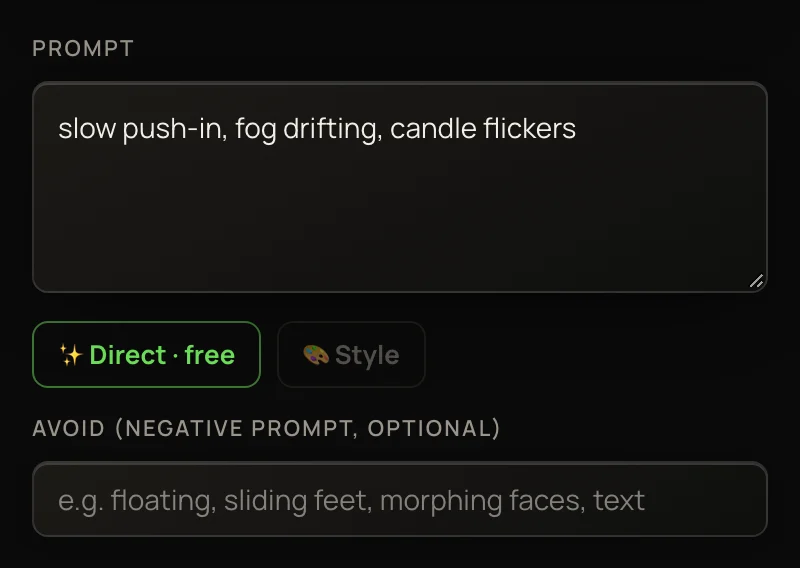
- 2Type a few rough words, like “slow push-in, fog”. Or leave the prompt empty — the picture alone is enough.
- 3Press ✨ Direct · free. An AI film director studies your picture (and your end frame, if you set one) and rewrites the prompt as a full motion prompt. It also fills the Avoid box. On models without one, that list goes at the end of the prompt.
- 4Read it, change anything you like, and press Generate video. The button now ends with + 9 ✨.
Pressing is free. The Director’s 9 credits are added once, to the video you make from its prompt — and come back if that video fails. You get 3 free presses a day on your sign-up credits, and 25 a day once you’ve bought credits. Each press comes back 24 hours after you used it.
For video from text
Models tagged Text→video start from nothing, so the prompt carries everything: the subject, the setting, the full arc of the motion, and a camera move. “A cyclist crests a hill at dawn, camera tracking alongside, then pulls up to reveal the valley.”
For edits
State the change, not the whole picture: “make it golden hour”, “remove the crowd”, “turn the car red”. One clear change per run works better than three stacked ones.
The same goes for Clip tools. To edit a clip, describe the change: “make it snow”. To extend one, say what happens next: “she turns and walks out the door, camera follows”. The upscalers need no prompt at all.
For voiceover and music
In the Audio lane, a voiceover’s Script is the exact words to be spoken — up to 1000 characters, with a counter under the box. Choose who reads it in Voice.
For music, describe the track: genre, mood, tempo and instruments. On models with an Avoid box, list what to leave out, like “vocals, drums”.
A talking photo in the Talk lane takes a script too: up to 450 characters, about 30 seconds of speech. See Making characters talk.