Save a room, shop or set once — its layout, furniture and light — and every scene happens in the same place.
A place is a setting your story keeps going back to: your café, an office, a studio set. You save a picture of it under a name, like @harbour_cafe. Write that name in a prompt and the AI builds the scene in that room — the same layout, furniture, walls, windows and light — instead of making up a new room each time. In the app, this kind is called Environment.
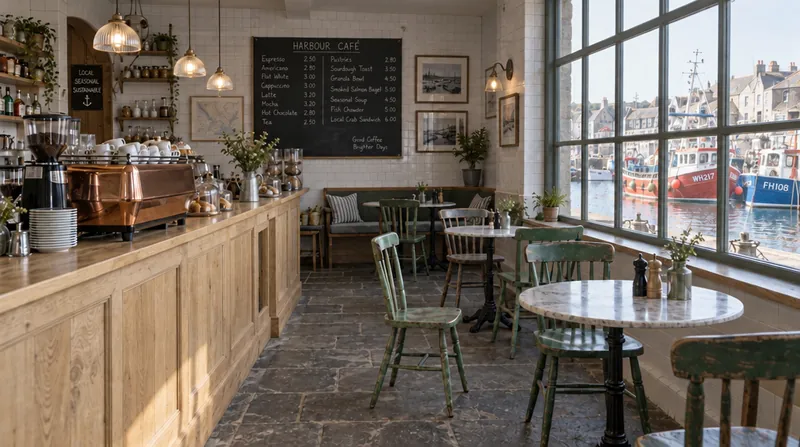
The saved place: @harbour_cafe
This is the picture the AI is shown when the prompt says @harbour_cafe.
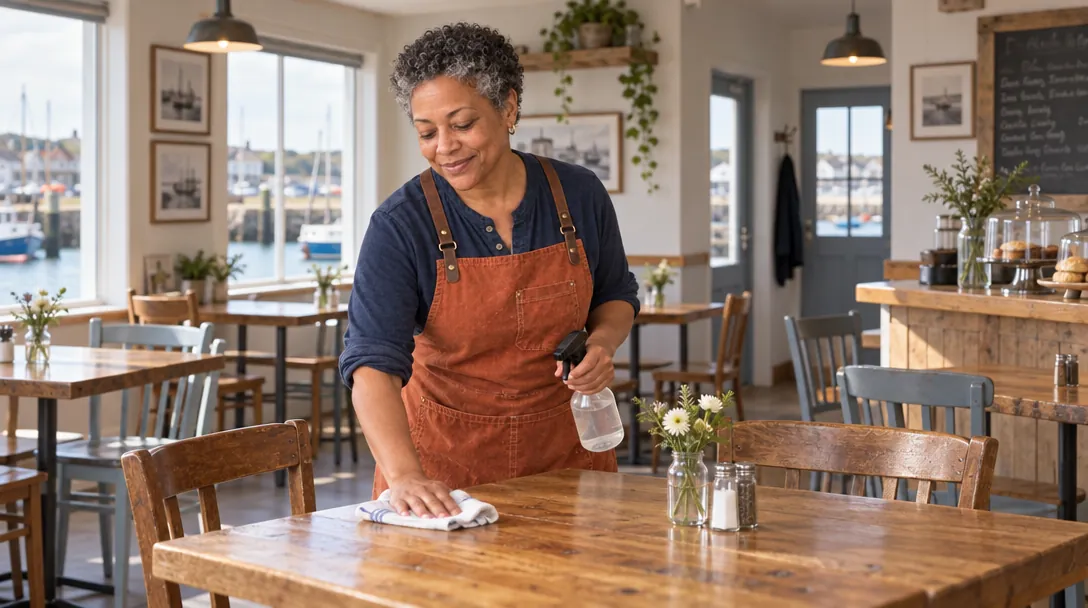
Without it — the AI makes one up
Prompt said: “@rosa wipes down a table in a small harbour café, wide shot showing the room”
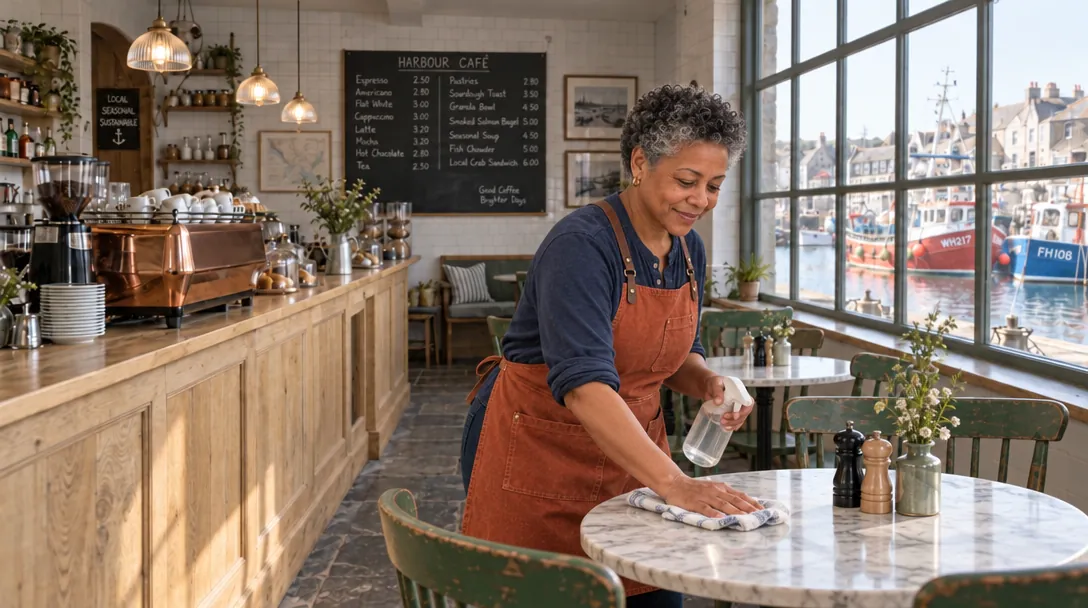
With @harbour_cafe
Prompt said: “@rosa wipes down a table in @harbour_cafe, wide shot showing the room”
Look for: Without the place, the AI invented a café: wooden tables, plain chairs. With @harbour_cafe it’s the saved café — round marble tables, green chairs, the pale-oak counter with the copper machine, and the big window onto the boats.
Called
Environment, in the app
Pictures
1 to 20. One wide picture of the empty room is enough
Description
Optional — but without one, models that only read words can’t use it
Cost
Free to make. Using one costs only the model’s normal price
Which picture to give it
The three places in the example stories were each made from one picture:
@harbour_cafe
@quell_office
@pembrook_studio
1Empty — no people
All three places here are empty rooms. The place is the room; your prompt brings in the people.
2Wide, at eye level
Show the whole room, like you’re standing in the doorway, so the AI knows how it fits together.
3The light you want
The place carries its light with it — morning sun for the café, night and lamplight for the office.
4In your story’s look
Telling the story in a style? Redraw the room in that style before you save it, like Pembrook’s felt studio. See Style: one look for everything.
No picture yet? Make one
Describe the room and say it’s empty. This is the prompt that made the Gullrock café: “Photo of an empty small harbour café interior in the morning, no people: a long pale-oak counter on the left with a copper espresso machine… a big multi-pane window on the right looking out onto red and blue fishing boats… Wide shot, eye level.”
NoteKeep real brand names and logos out of it. The first café had a real-looking badge on its espresso machine, so it was edited out before the café was saved.
Make the place
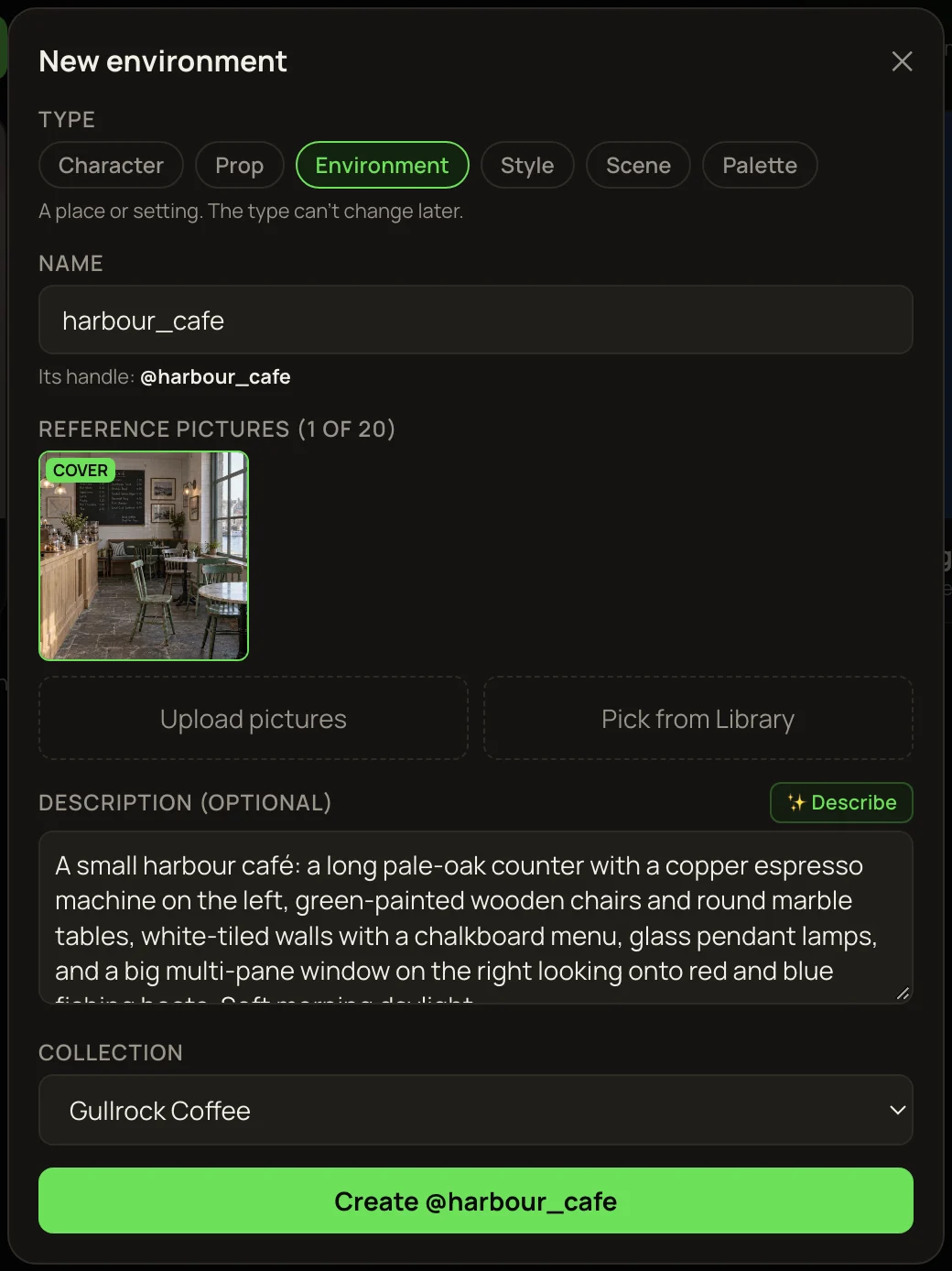
1
In the Library, press Make entity or style from pictures, tick the picture and press Make entity.
2
Pick Environment and type a name, like harbour_cafe.
3
Press ✨ Describe and read the description. It’s optional, but models that only read words need it.
4
Press Create @….
The Gullrock café being saved. In the app, places are called Environment.
Use the place
Type @ and pick it, then say who’s there and what happens — for example “@rosa wipes down a table in @harbour_cafe, wide shot showing the room”. A place works well with characters and props in the same prompt: one person, one product, one room.
TipAsking for a wide shot shows off the place. In a close-up there’s little of the room left to see.
More examples
Same idea, two more rooms. In each, the only words that changed are the ones in bold.
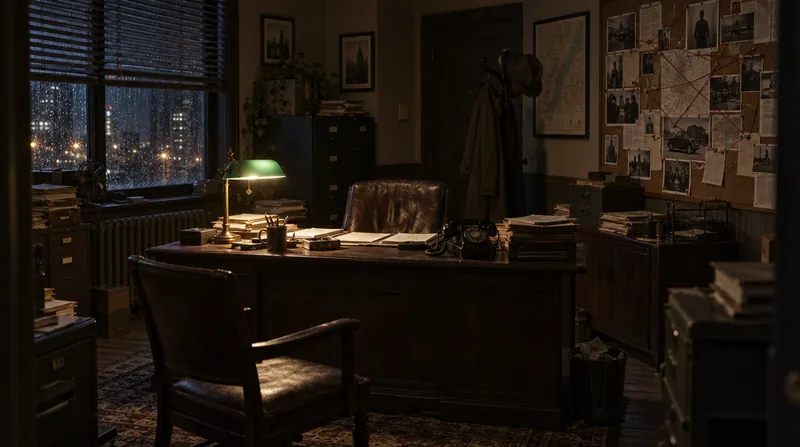
The saved place: @quell_office
This is the picture the AI is shown when the prompt says @quell_office.
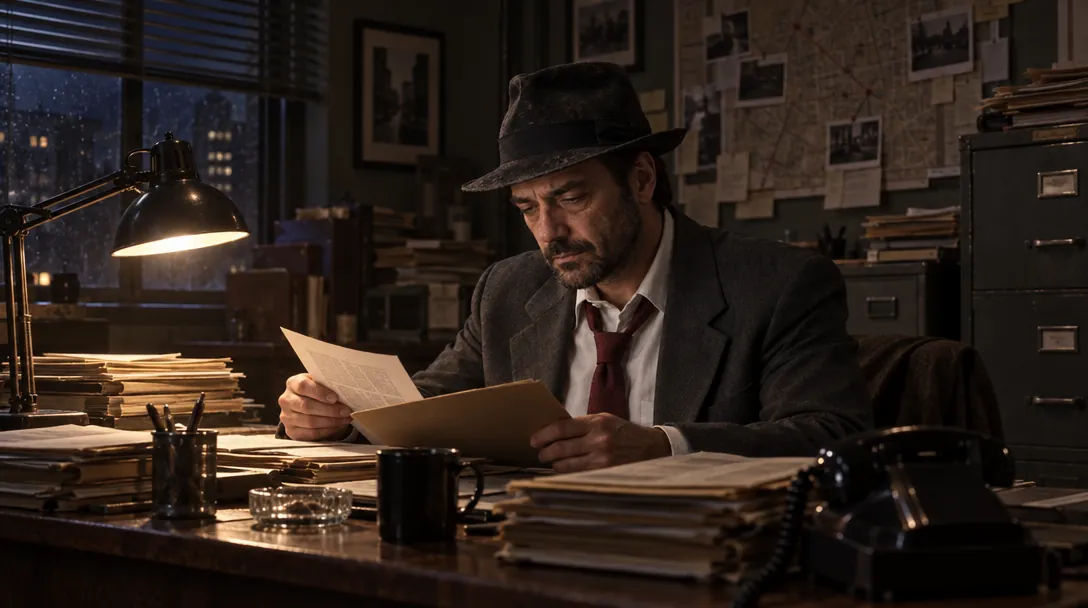
Without it — the AI makes one up
Prompt said: “@quell sits at his desk going through case files in a cramped detective’s office at night”
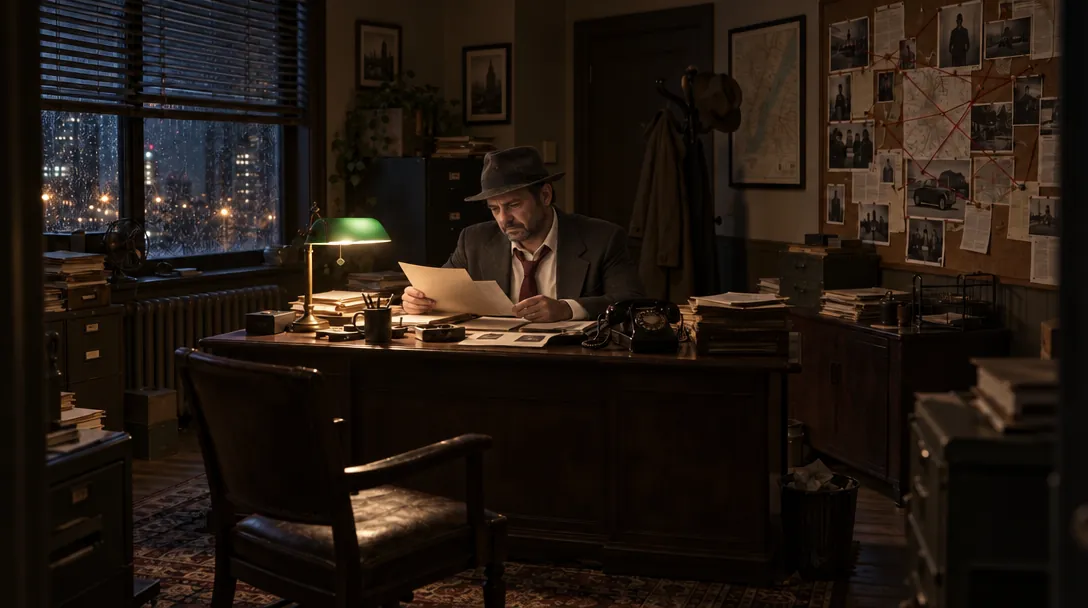
With @quell_office
Prompt said: “@quell sits at his desk going through case files in @quell_office”
Look for: Without the place: a black lamp and an office the AI made up. With @quell_office: the green-shaded lamp, the blinds over the lit-up city, and the cork board of photos — all from the saved picture.
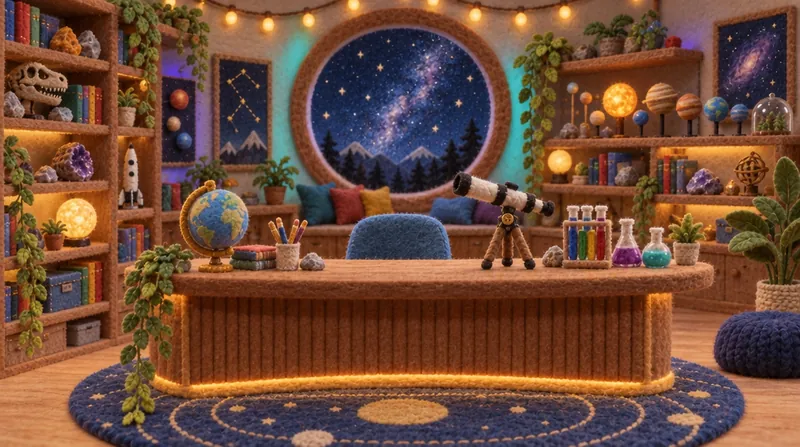
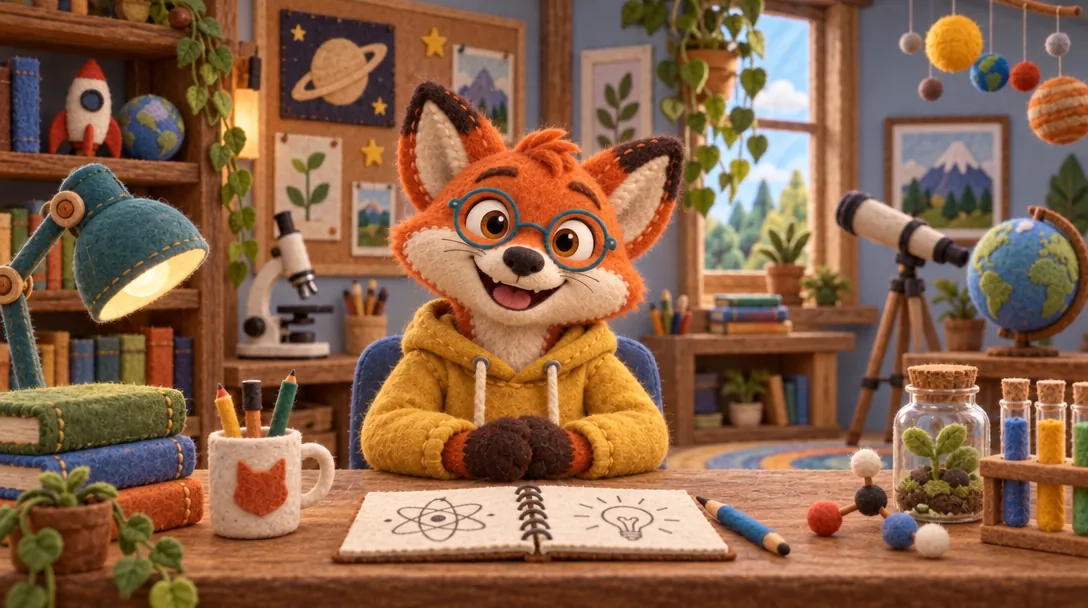
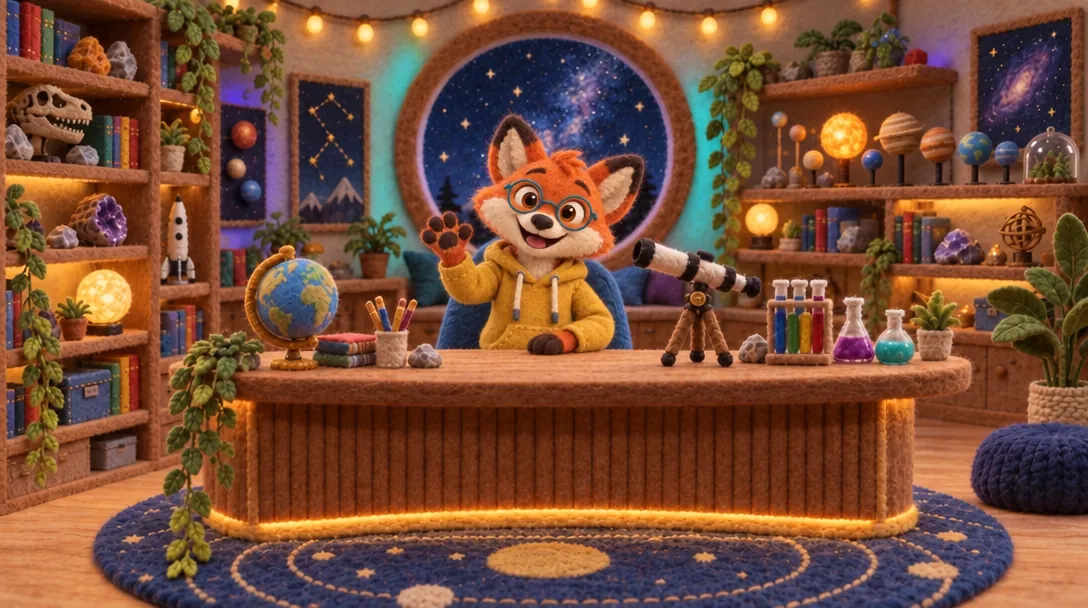
The saved place: @pembrook_studio
This is the picture the AI is shown when the prompt says @pembrook_studio.
Without it — the AI makes one up
Prompt said: “@pembrook sits behind the desk of a cosy kids’ science-channel studio”
With @pembrook_studio
Prompt said: “@pembrook sits behind the desk of @pembrook_studio”
Look for: Without the place: a made-up playroom with an ordinary window. With @pembrook_studio: his curved desk, the big round starry window and the planet shelves from the saved set.
Places in video
Make each shot as a picture in the place, then animate it — the clip keeps the room from its picture. All three example films were made this way, and the room stays the same from shot to shot. See Entities in video for the Gullrock film.
If it doesn’t look right
?A different room
Check the tag under the prompt. “Sends its description” means the model only reads words — switch to one that looks at pictures.
⤢Hardly any room showing
Ask for a wide shot, or say where in the room the action happens (“at the window”, “behind the counter”).