Found a shot framed the way you want? Save it as a scene, and your own people get filmed the same way — same angle, same spots in the frame.
A scene copies how a shot is set up: where the camera stands and where the people are in the frame. It does not copy who’s in the photo or where it was taken. So you can take an over-the-shoulder shot from a photo of two strangers in an office, and use it to film Rosa serving a customer in her café.
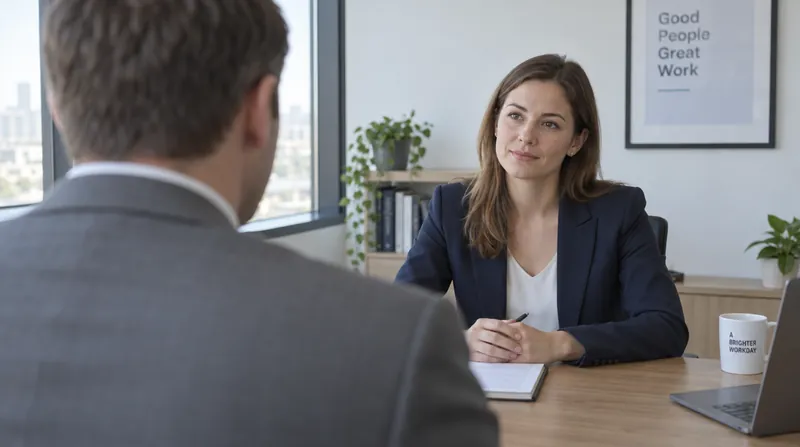
The saved scene: @over_the_shoulder
An office photo of two strangers. Only its camera setup is copied — not the people, not the office.
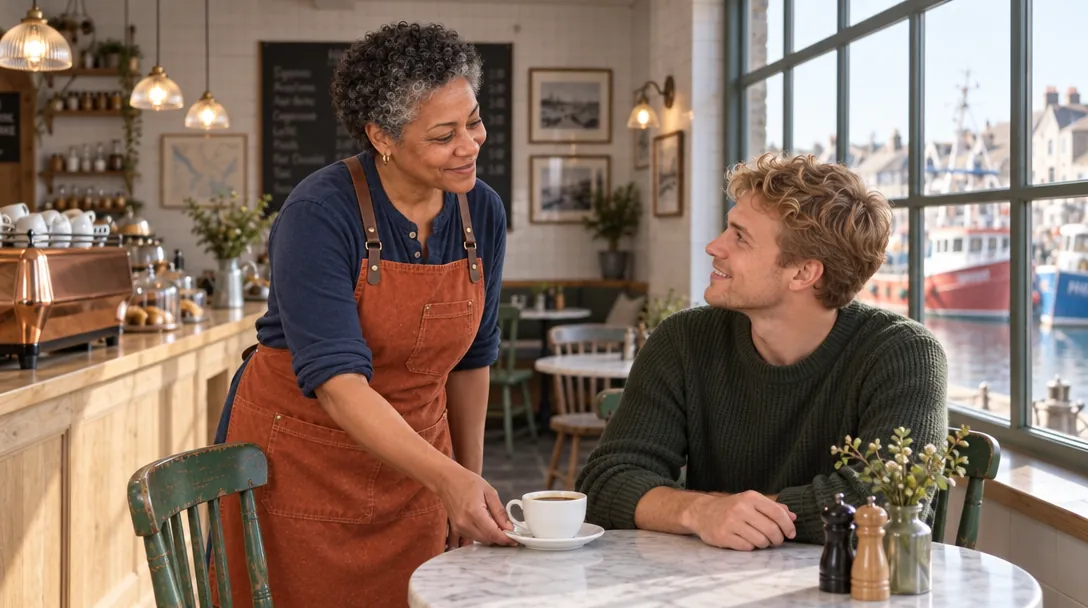
Without the scene
Prompt said: “@rosa serves a cup of coffee to a young male customer with short blond hair in a green knit sweater, sitting at a table in @harbour_cafe.”
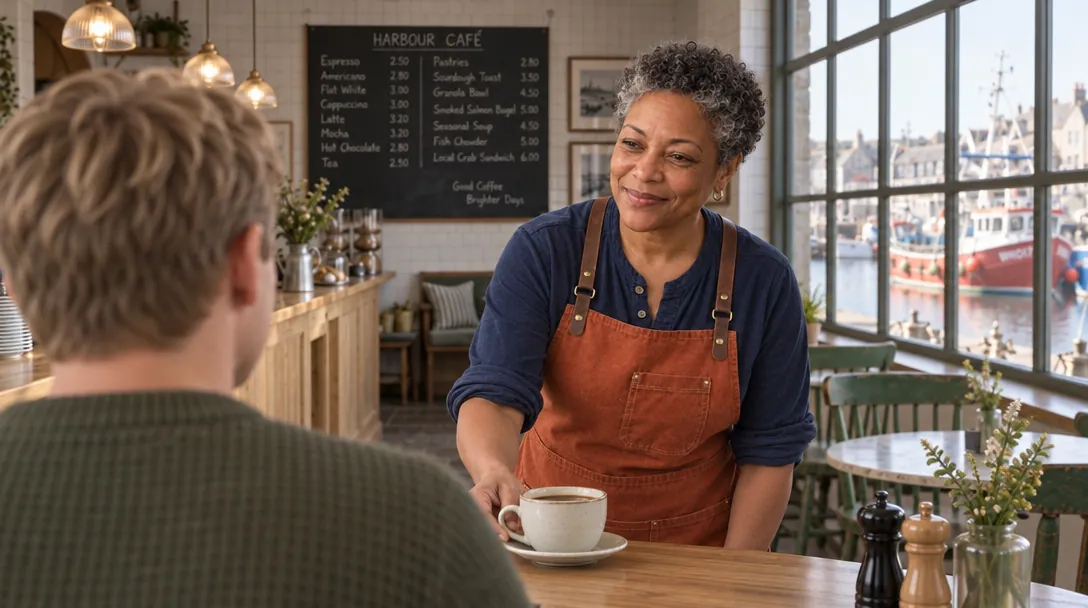
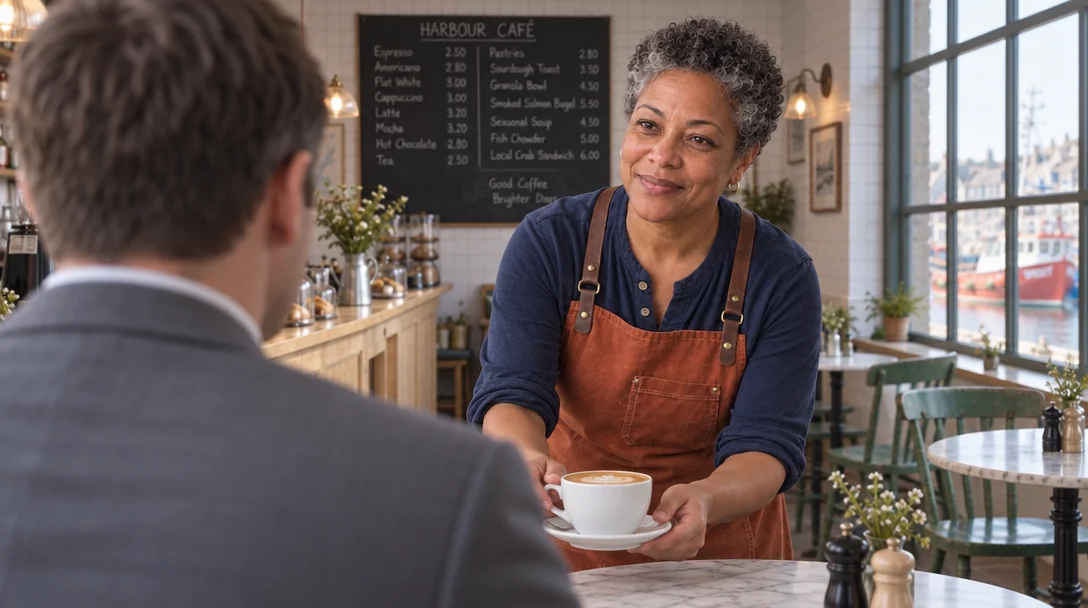
With @over_the_shoulder
Prompt said: the same words, plus Staging from @over_the_shoulder.
Look for: The camera moved behind the customer’s shoulder, like the office photo: his back large on the left, Rosa facing the camera on the right. It’s still Rosa, still her café.
Copies
Camera angle and height, framing, where each person stands
Leaves out
The people, the place and the clothes in the photo
Pictures
One photo with the camera setup you want is enough
Cost
Free to make. Using one costs only the model’s normal price
Which photo to give it
Any photo framed the way you want — a still from a film you like, a stock photo, a picture you made. The people and room in it don’t matter; only how it’s shot. The three scenes in the example stories:
@over_the_shoulder
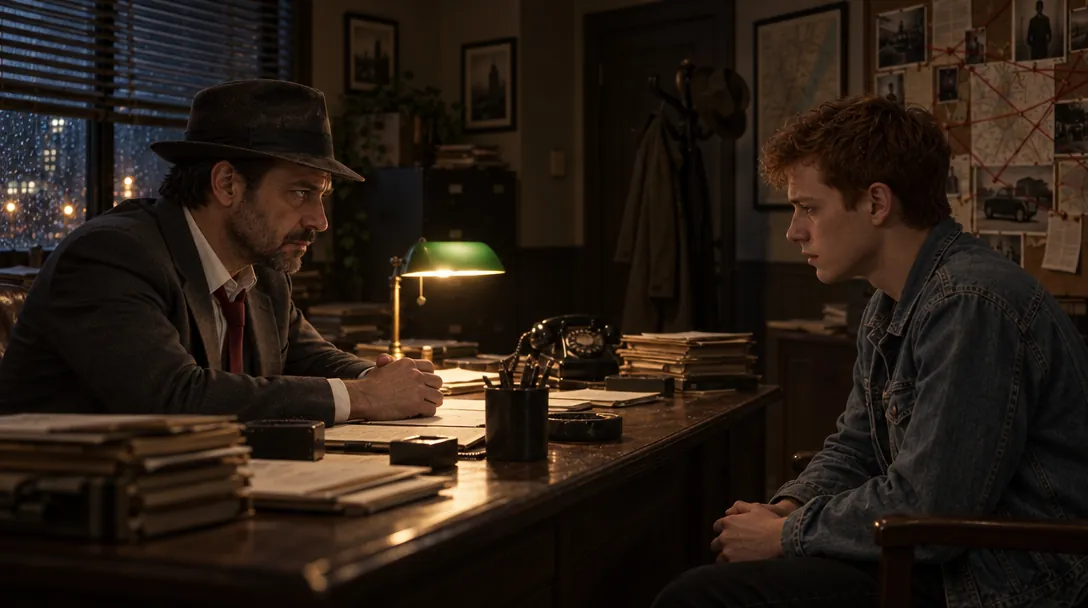
@interrogation
@overhead_desk
TipPick a photo where the setup is easy to see: the camera angle is clear and the people are easy to tell apart. One person in front, one behind, or two facing each other.
Make the scene
1
In the Library, press Make entity or style from pictures, tick the photo and press Make entity.
2
Pick Scene and type a name that says the setup, like over_the_shoulder.
3
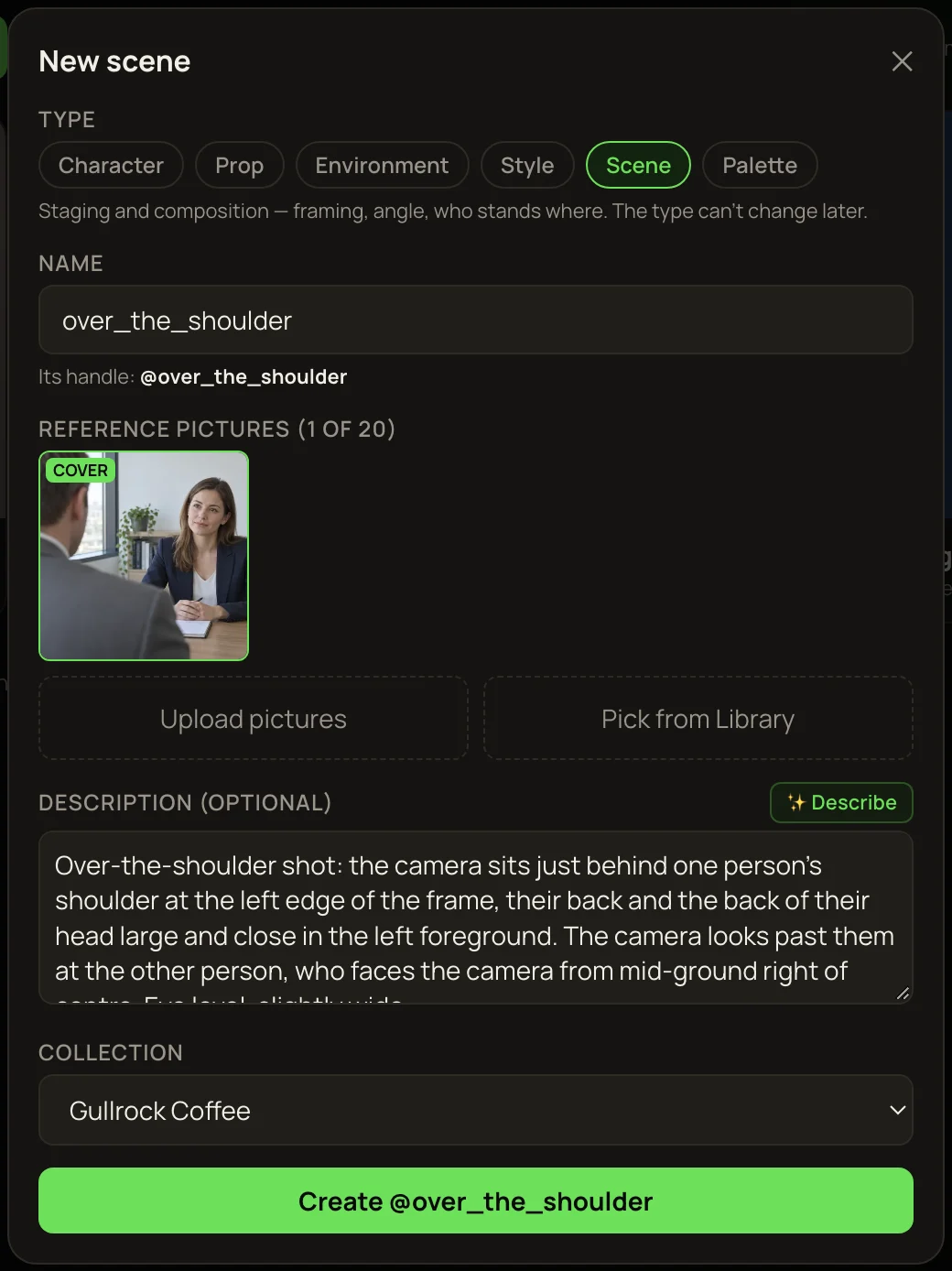
Press ✨ Describe. For a scene, the description should describe the camera setup only — not the people or the room. Read it and take out anything about who’s in the photo.
4
Press Create @….
Saving the office photo as a scene. The description talks only about the camera and the positions.
Use the scene
Add Staging from @over_the_shoulder to your prompt, and write the people and place as usual — for example “@rosa serves a cup of coffee to a young male customer with short blond hair in a green knit sweater, sitting at a table in @harbour_cafe. Staging from @over_the_shoulder.”
Heads upDescribe what everyone wears. A scene leaves out the people in its photo, but their clothes can rub off on anyone you don’t describe. With no clothes given, Rosa’s customer came out in the office man’s grey suit.
The saved scene: @over_the_shoulder
The man in this photo wears a grey suit.
Customer not described
Prompt said: “@rosa serves a cup of coffee to a young male customer at a table in @harbour_cafe. Staging from @over_the_shoulder.”
Customer described
Prompt said: “@rosa serves a cup of coffee to a young male customer with short blond hair in a green knit sweater, sitting at a table in @harbour_cafe. Staging from @over_the_shoulder.”
Look for: Left: nobody said what the customer wears, so he borrowed the office man’s grey suit. Right: his clothes are described, and nothing is borrowed.
Scenes work best on a model that looks at pictures, like the ones used here (GPT Image 2.5 Sunburst Edit). On a model that only reads words, the scene sends its description instead.
More examples
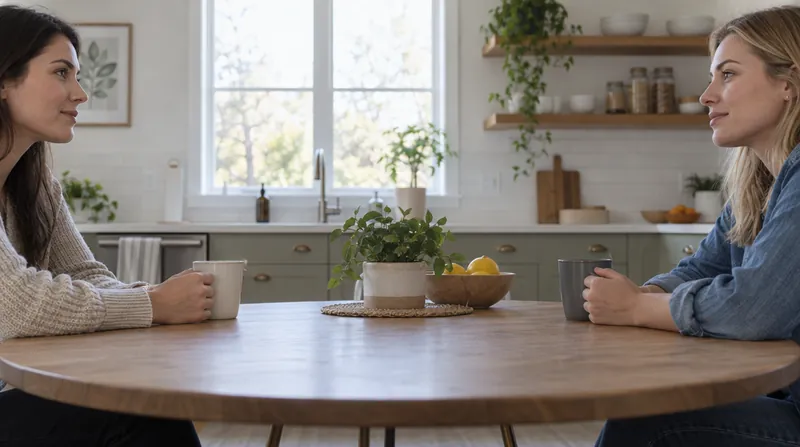
The saved scene: @interrogation
A kitchen photo of two women in profile. Only the camera setup is copied.
Without the scene
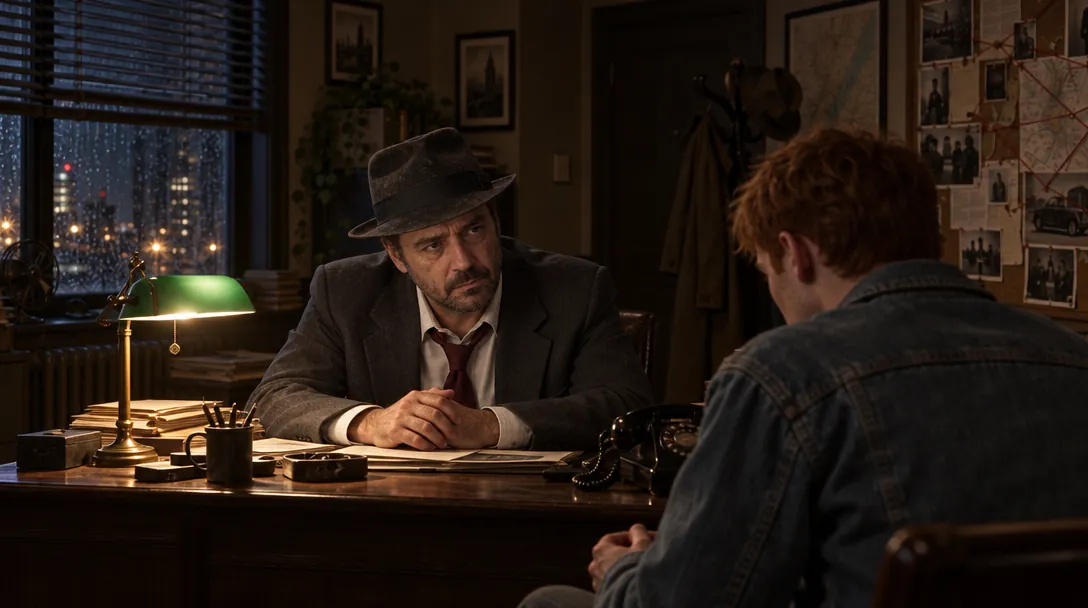
Prompt said: “@quell questions a nervous young man with short red hair in a faded denim jacket, the two of them sitting across the desk from each other in @quell_office.”
With @interrogation
Prompt said: the same words, plus Staging from @interrogation.
Look for: Quell and the suspect now sit in strict side profile, facing each other across the desk like the two women in the photo — but in his office, not their kitchen.
The saved scene: @overhead_desk
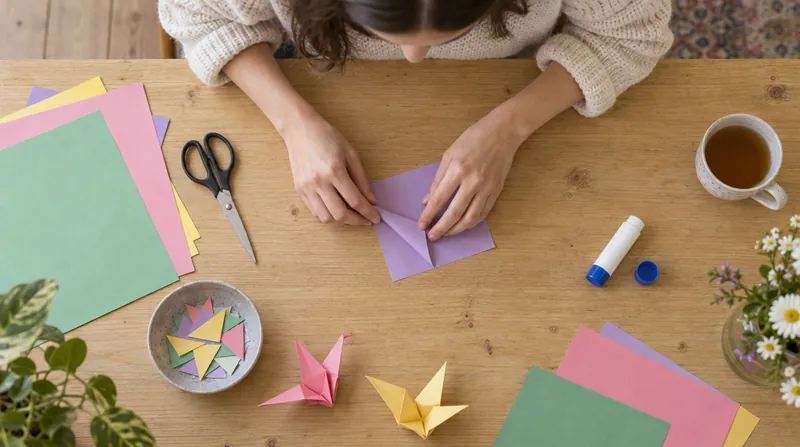
A craft table seen from straight above.
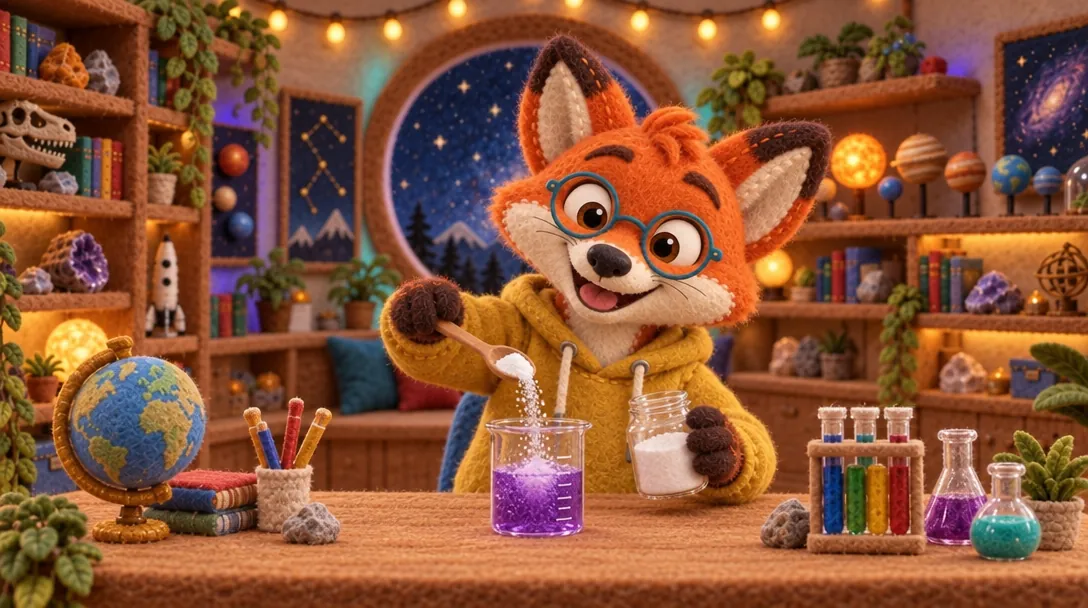
Without the scene
Prompt said: “@pembrook does a science experiment at the desk of @pembrook_studio: with his two paws he pours a spoonful of baking soda into a small glass beaker of purple liquid…”
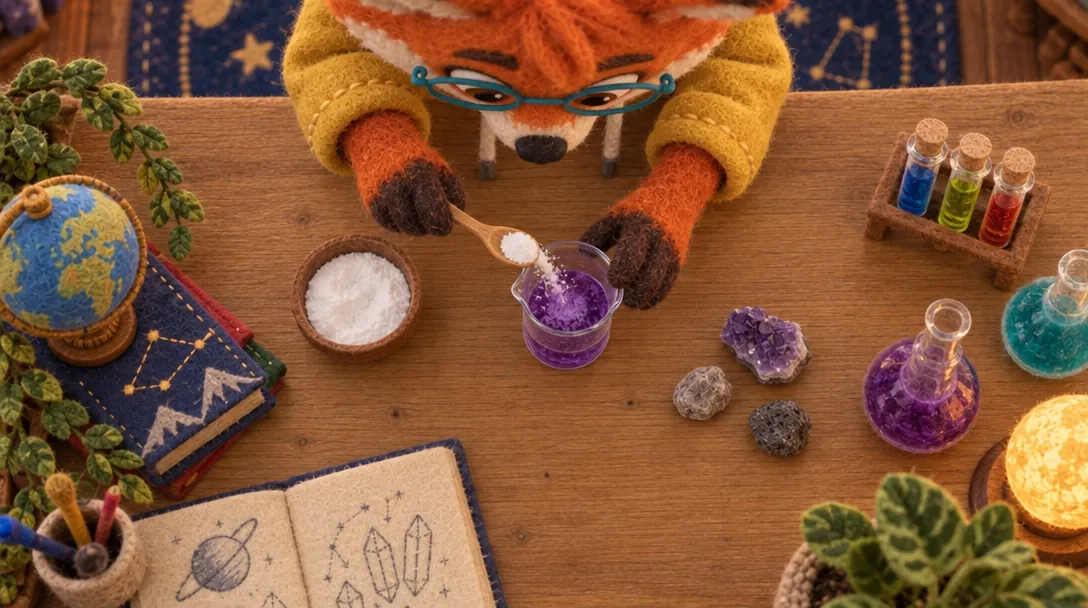
With @overhead_desk
Prompt said: “Staging from @overhead_desk: the camera looks straight down from directly above onto the desk of @pembrook_studio… @pembrook’s two paws are in the middle of the frame…”
Look for: The camera moved from the front to straight above, like the craft-table photo. For a view this unusual, the prompt also said it in words, next to the scene.
TipFor an unusual angle, like straight down, back the scene up with a few words saying the same thing.
Scenes in video
Make the shot as a picture with the scene first, check the framing, then animate that picture in the Video lane. The clip starts from your framing. The overhead shot in the Pembrook film was made this way.
NoteScenes haven’t been tested yet inside the video models that read entities directly (Kling O3 · Entities, Veo 3.1 Fast · Entities). Until then, the picture-first way above is the one we know works.
If it doesn’t look right
👤Someone from the photo shows up
Describe your own people fully — who they are and what they wear — so there’s nothing left to borrow.
¶The framing didn’t change
Check the tag under the prompt. “Sends its description” means the model only reads words — switch to one that looks at pictures, or spell the angle out in words too.
⇄People on the wrong sides
Say who goes where (“the customer’s back in the left foreground, Rosa on the right”), matching the scene’s photo.