Several shots in one clip
Write Shot 1, Shot 2, Shot 3 — Kling O3 cuts between camera angles in one clip, with sound.
With Kling O3 · Entities, one run can hold up to six camera shots: a wide shot, then a medium shot, then a close-up. Your characters look the same in every shot. Spoken lines land in the shot you wrote them in.
Make one
- 1In the Video lane, open Model and pick Kling O3 · Entities.
- 2In Prompt, start with one or two lines about who and where. Then write one line per shot, each starting Shot 1 —, Shot 2 — and so on. Type @ to name your characters.
- 3Pick a Length. The shots share it evenly: 12 seconds with three shots makes three 4-second shots.
- 4Pick a Resolution and an Orientation: 16:9 for widescreen, 9:16 for phones, 1:1 for square. Then click Generate video.
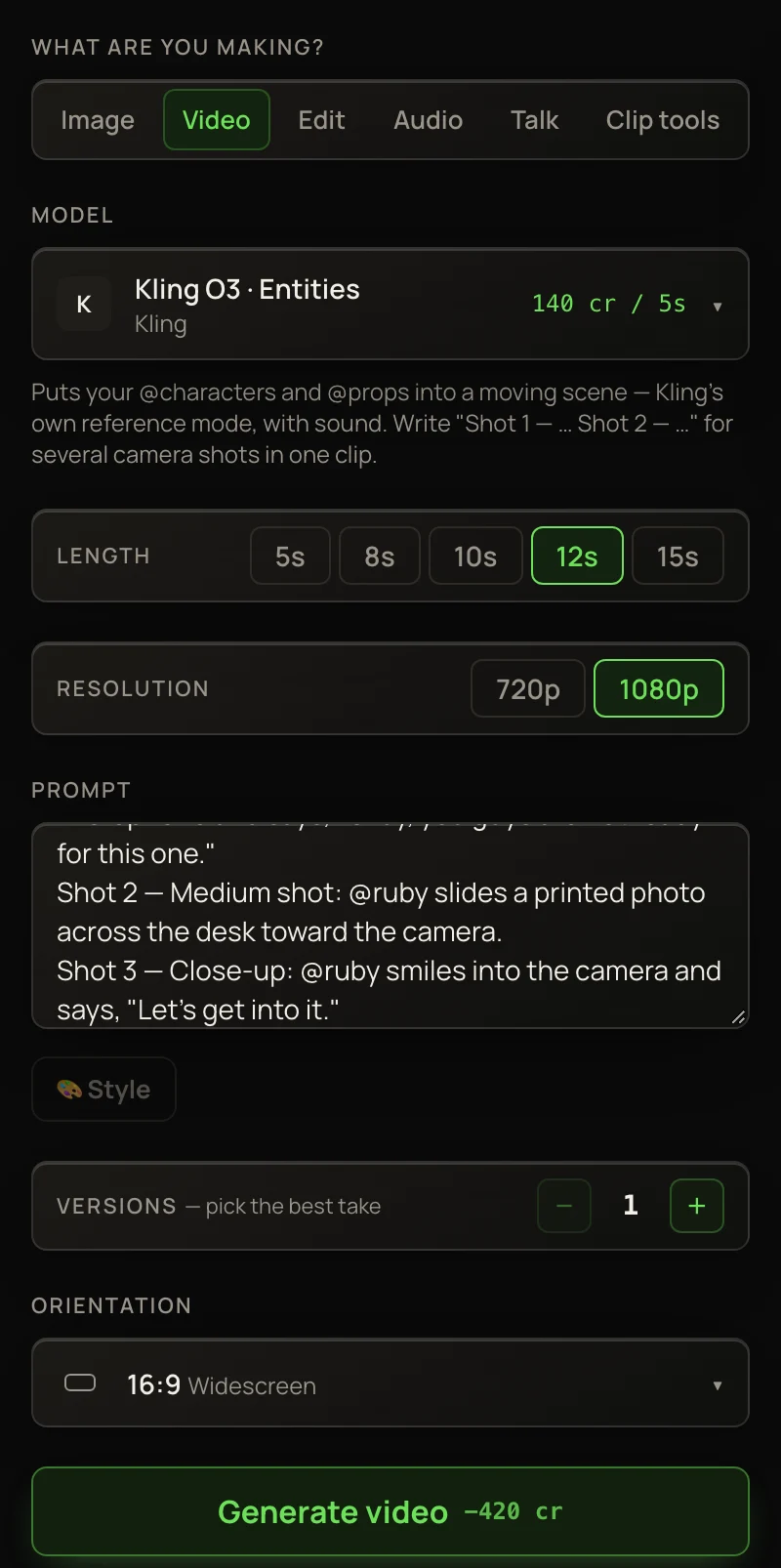
A prompt to start from
Copy it, paste it into Prompt, and change @your-character to the name of one of your own characters.
Keep @your-character's face, hair and clothes exactly as in their pictures. A small café at golden hour, warm window light.
Shot 1 — Wide shot: @your-character walks in and sits at a table by the window.
Shot 2 — Medium shot: @your-character opens a letter and reads it, eyebrows rising.
Shot 3 — Close-up: @your-character looks up at the camera and says, "I knew it."
What to know
- Shots
- 2 to 6. One shot, or more than six, makes an ordinary single-shot clip.
- Length of each shot
- The clip’s length, split evenly between the shots.
- Words per shot
- Kling reads about 500 characters per shot, and your opening lines are added to every shot. Keep the opening short. Words past the limit are cut.
- Speech
- Put spoken words in quotes, inside the shot where they’re said.
- Waiting time
- Longer than a single shot. Our 12-second, 1080p, three-shot clip took about 16 minutes.
Pictures and a first frame
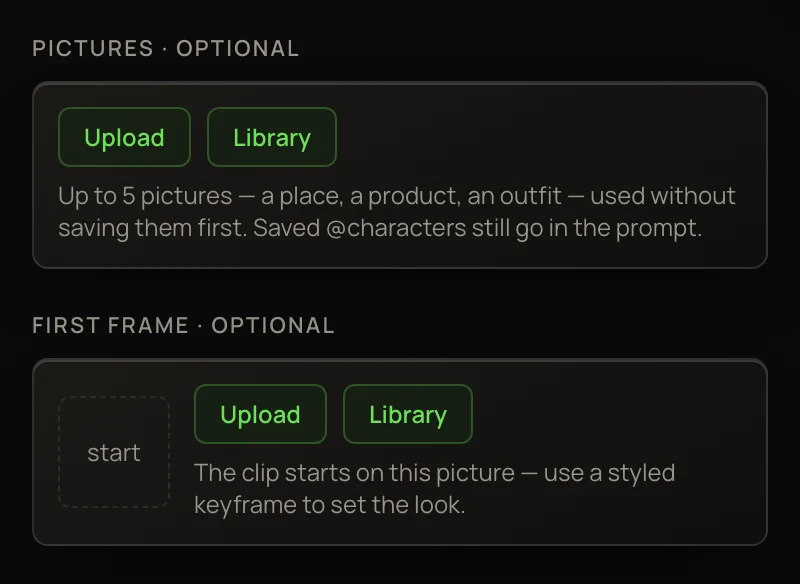
Two optional boxes sit under the model. Pictures takes up to 5 pictures you haven’t saved, like a room or a product: click Upload or Library, then mention what’s in them in the prompt (“the mug from the picture”). First frame starts the clip on a picture you choose. Kling O3 reads 7 pictures in all, so they share that space with your @characters. Fewer pictures hold up better: with six, one object can be left out, and a photo can pull an illustrated character toward a photo look.
Getting the look
Price
Several shots cost the same as one shot of the same length. A 12-second clip is 336 credits at 720p and 420 credits at 1080p. See Video pricing.