Change, cancel or manage your plan
Cancel, update your card, get invoices, or switch plans — and what happens to your credits.
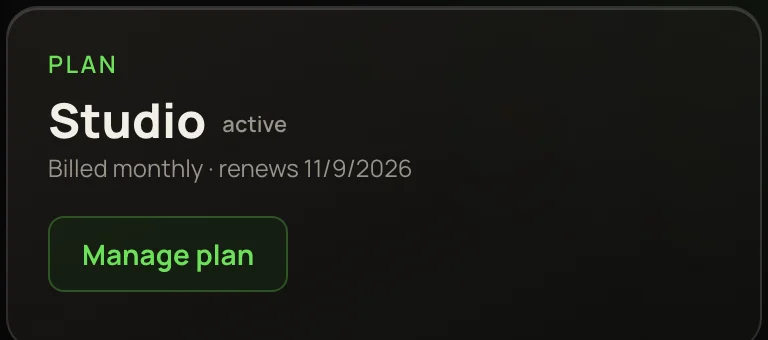
Your plan is managed from Credits & billing. Click your balance in the top bar to open it. The Plan card shows your plan, how it’s billed and its renewal date.
Open billing
- 1Click your balance in the top bar.
- 2On the Plan card, press Manage plan. With no plan but past purchases, the button reads Billing & receipts.
- 3Stripe’s secure billing page opens. When you go back from it, you land on Home.
What you can do there
After you cancel
Your plan and its credits keep working until the end of the period you paid for. When the plan ends, credits that came with it are kept but paused — they come back the moment you renew. Credits you bought outright and your sign-up credits are never affected. More in How credits work.
To come back, pick a plan on Plans & credits. If you have paused credits, Credits & billing shows them with a Renew your plan link.
Claude connectors you already made keep working after a plan ends — they spend your credit balance. Making a new one needs an active plan.
Switch to a different plan
Open Plans & credits. A line above the plans shows your plan and its renewal date, and each plan’s button says what it will do:
Before anything happens, a box tells you what it costs and when it starts. A switch booked for renewal shows above the plans with a Keep my current plan link to call it off. You can’t buy a second plan next to the first — checkout refuses it, so you’re never billed twice.
If a payment fails
If a renewal payment doesn’t go through, your plan credits pause until it does. Press Manage plan and update your card. Once the payment succeeds, they’re back.
Refunds
Payments are generally non-refundable, except where the law requires it. If something went wrong, email support and we’ll try to make it right. Failed runs are a different thing — their credits come back on their own; see Refunds for failed or cancelled runs.