Buying credits and plans
What’s for sale, how checkout works, and when your credits arrive.
Everything for sale is on the Plans & credits page. Reach it from See plans & credits on Home, or from Buy more on Credits & billing (click your balance in the top bar).
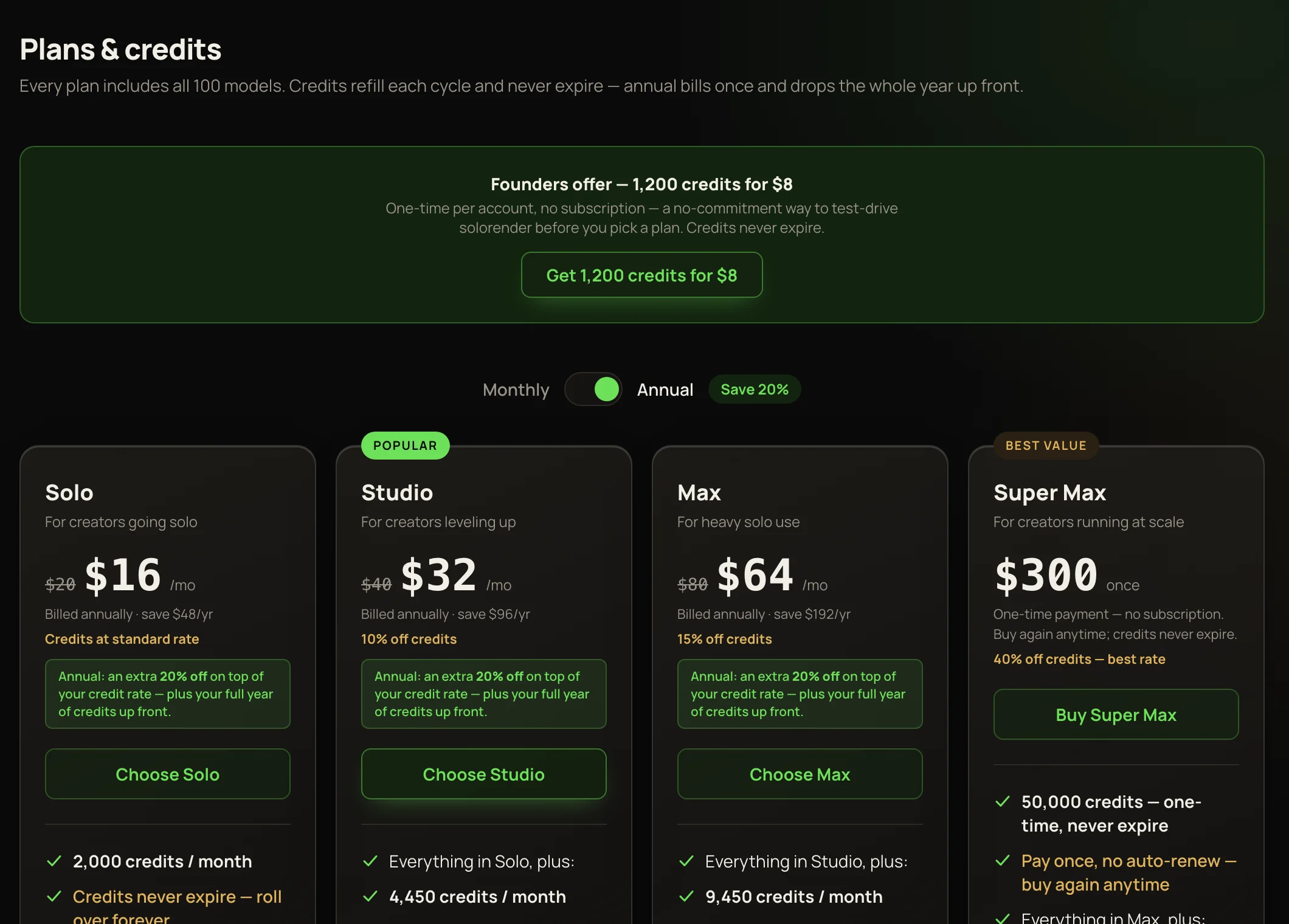
What you can buy
The Monthly / Annual switch above the plans starts on Annual. Annual costs less per month, is billed once a year, and adds the whole year’s credits up front. Every credit you buy rolls over and never expires — see How credits work.
Check out
- 1Press the button under what you want — for example Choose Studio, Buy Super Max or a pack’s Buy · $25.
- 2Pay on Stripe’s secure checkout page. solorender never sees your card details.
- 3You come back to Credits & billing, which says “Payment complete — credits added.”
If you leave checkout without paying, you come back to the same page with “Checkout cancelled — you weren’t charged.”
When credits arrive
One-time purchases add their credits as soon as the payment goes through. A plan adds credits each time it’s paid: a month’s worth on a monthly plan, the whole year’s on an annual one. The balance usually updates within moments; if it hasn’t, refresh the page. Still missing? See Common errors.
Receipts and changes
Every purchase gets an invoice. Find them on Credits & billing under Manage plan — or Billing & receipts if you don’t have a plan. Cancelling, card changes and plan changes are covered in Change, cancel or manage your plan.