How credits work
The one currency in solorender — how you get credits, spend them, and get them back.
Everything you make costs credits, and each generation spends from your balance. One credit is $0.01 of generation — about a cent. Your balance is always in the top bar; click it to open Credits & billing.
Getting credits
Every account starts with 100 credits on the house. New customers can start with the founders offer: 1,100 credits for $8, one time, no subscription. For steady work, pick a plan — Solo, Studio or Max, billed monthly or yearly — for a fresh batch of credits every cycle; the bigger the plan, the cheaper each credit. A yearly plan adds the whole year’s credits at once. Super Max is a one-time bundle at our best rate, and existing customers can add a discounted top-up pack whenever they run low. It’s all on the Plans & credits page — see Buying credits and plans.
Do credits expire?
Never. Every credit rolls over to the next cycle and stacks. Credits you buy outright — the founders offer, Super Max, top-up packs — work anytime, plan or no plan, and so do your sign-up credits. Credits that come with a plan are used while the plan is active: cancel and they’re kept, paused, and come back the moment you renew.
Cancelling takes effect at the end of the period you’ve already paid for, so your plan credits stay usable until then. They also pause if a plan payment fails, and come back once it goes through. Plan credits are always spent first, so the ones that can pause get used before the ones that can’t.
When you’re charged
The exact cost is shown on the button before every run, and the charge happens the moment you press it. Image drafts start at 1 credits; video is the premium stuff, from 38 credits a clip — because that’s what it costs to make.
A few prices show ≈ because the final size isn’t known yet: the Clarity Upscaler, and Talk with a typed script. These settle on the real result — the size of the upscaled picture, or the length of the spoken voice.
When you get credits back
If a generation fails, the full charge comes back automatically. The same goes for a run you cancel while it waits in line. Details in Refunds for failed or cancelled runs.
If a payment is refunded or disputed
If a card payment is refunded, or you dispute it with your bank, the credits that payment bought are taken back. Paused plan credits go first, then your balance. This can take your balance below zero. New runs can’t start until you add credits again. If a dispute ends with the payment standing, the credits come back.
See every credit in and out
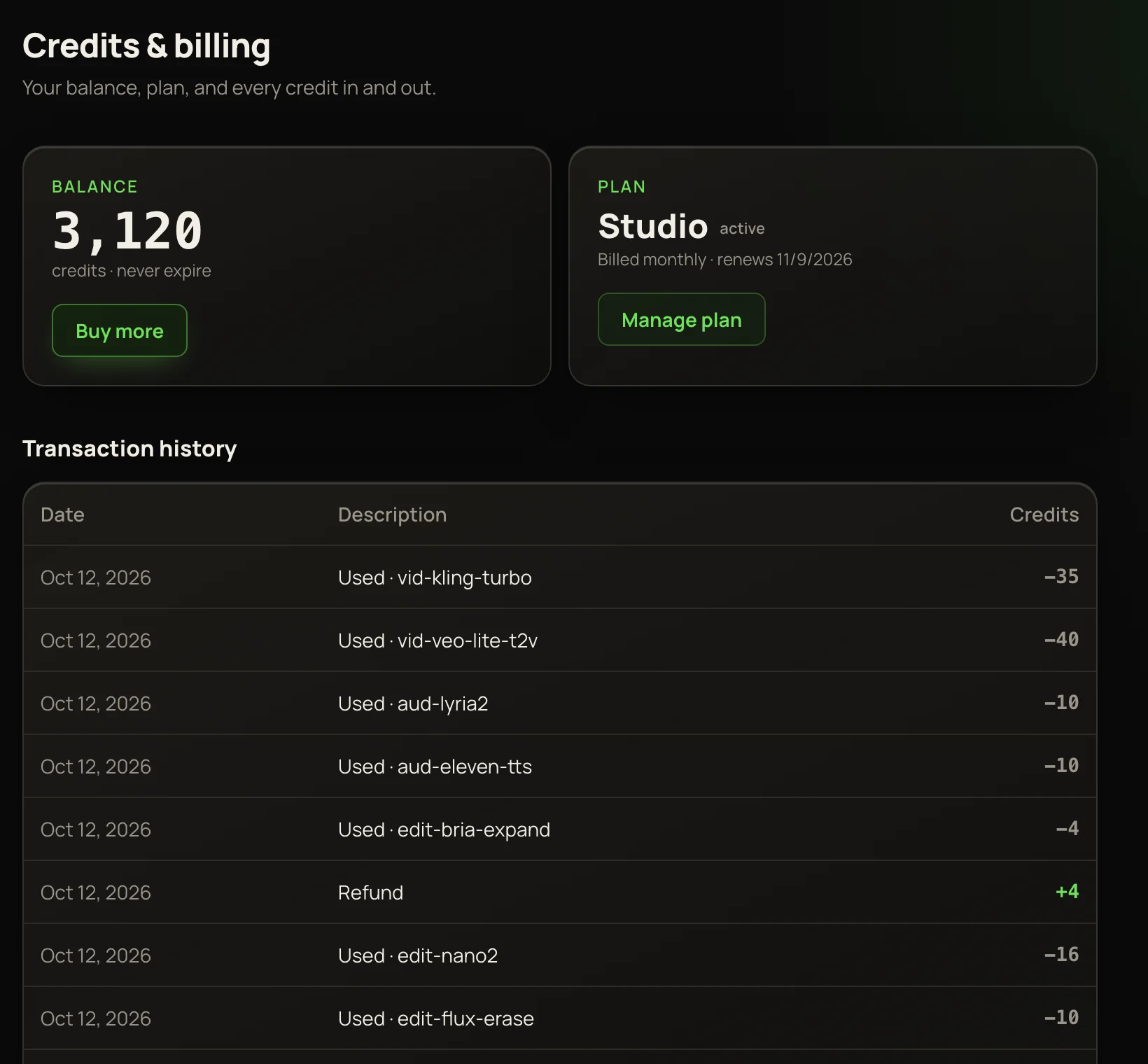
Click your balance in the top bar to open Credits & billing:
Below them, Transaction history lists every credit in and out: Welcome bonus, Credit purchase, Plan credits, a Used line for each run, Refund, and — when a payment is reversed — Purchase refunded, Payment disputed or Dispute resolved · credits returned.