Organizing with collections
Group creations, flows and entities by client, show or campaign — with folders inside.
A collection groups work that belongs together — “Client X”, “Episode 12”, “Spring campaign”. It holds creations, flows and entities, and it can have folders of its own. Deleting a collection never deletes anything inside it.
Create a collection
- 1Open Library. In the left menu, press the + beside Collections. Or open Collections and press + New collection.
- 2Type a name and press OK. The new collection opens, ready to fill.
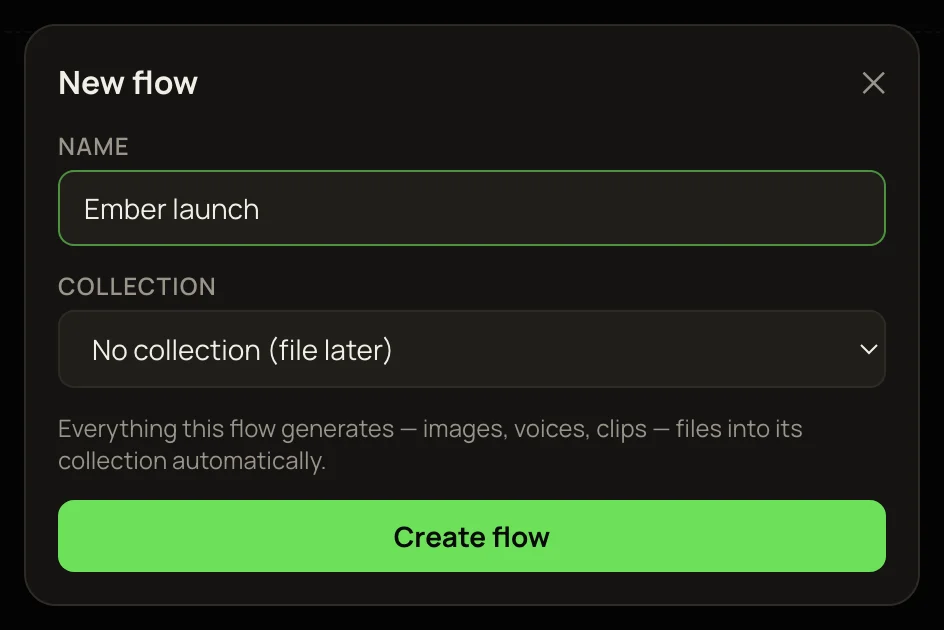
You can also make one while starting a flow — see Flows and entities below.
File creations
Every Library card has a collection menu. Pick a collection, or one of its folders (listed under it with a dash). Pick No collection to take it out again. A creation sits in one place at a time.
Studio runs start out unfiled. Runs from a flow file themselves into that flow’s collection. Anything unfiled shows on the Collections page under Not in a collection.
Folders
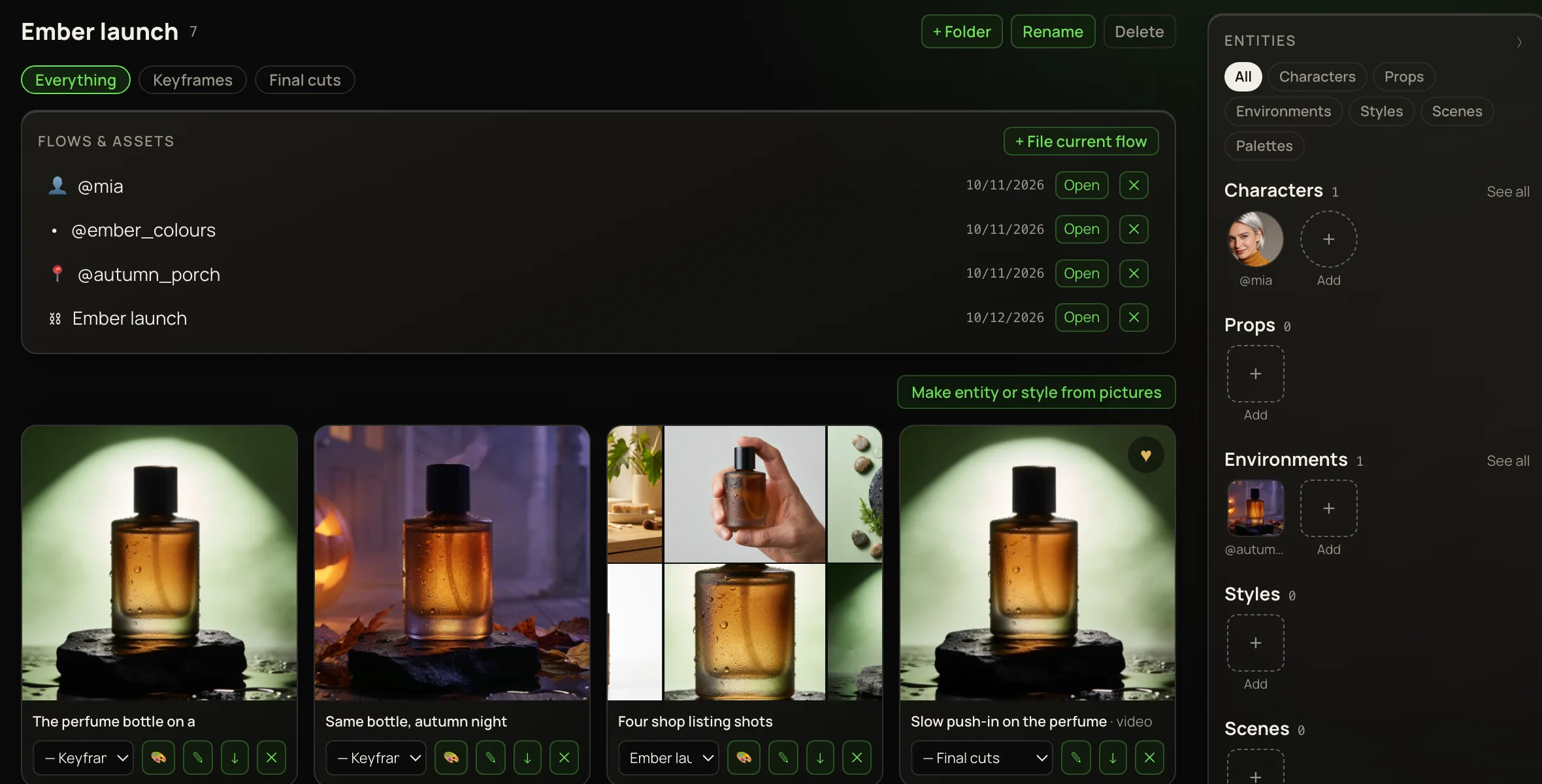
- 1Open a collection and press + Folder.
- 2Name it — “Keyframes”, “Final cuts”.
- 3File creations into it from their card’s collection menu.
Folder chips appear above the grid. Click one to see only its contents; Everything shows the whole collection again. With a folder chosen, Rename and Delete appear beside its chip. Deleting a folder keeps its contents in the collection.
Flows and entities
An open collection has a Flows & assets panel above the grid. It lists the flows and entities filed there; press Open to open one.
The ✕ beside a flow or entity in the panel takes it out of the collection. It isn’t deleted — it stays on its own page.
+ File current flow only files an older canvas kept in this browser — the Unsaved canvas card on the Flow page. Flows made with + New flow are already saved, so you don’t need it for them.
Rename or delete a collection
Open the collection and use Rename or Delete at the top right. Delete asks first. Nothing inside is destroyed: creations, flows and entities just leave the collection, and its folders go away.